
The file system wiki · macOS, Windows & Linux
A wiki that is just a folder.
Fiki turns any directory of Markdown into a wiki you can browse, edit, and map. No database. No account. No lock-in. Your notes stay plain files, so every tool you already own keeps working on them.
pay once · keep forever · source included
Why a folder
Most note apps own your notes. Fiki is built the other way round.
The usual deal
- Notes live in a database only the app can read.
- Search, history, and backup are whatever the app ships.
- Sharing means another account on their service.
- Export is an afterthought, and it loses things.
- Stop paying and your notes get awkward to reach.
The Fiki deal
- A wiki is a directory. A page is a folder with an
index.mdand its attachments. - Search with
grep. Keep history withgit. Back it up with whatever you already use. - Share a wiki the way you share any folder: a repo, a synced drive, a USB stick.
- There is nothing to export. The files are the wiki.
- Pay once. It is yours, source code included.
-
01
Nothing to learn
Files and folders. Make a folder, drop an
index.mdin it, and you have a page. Nest folders to organize. Move a folder to move a page. -
02
Every tool still works
Write in Fiki, or in Vim, Obsidian, VS Code, anything. Fiki watches the disk and redraws the page and the tree the moment something changes.
-
03
As many wikis as you like
One for work, one for the house, one per project. A wiki is a folder, so a new one costs nothing and the last one you had open comes back on launch.
What it does
Everything you want from a wiki. Nothing between you and your files.
-
Live tree
The whole wiki in a sidebar that stays in step with the disk. Create, rename, or move a folder anywhere and the tree follows.
-
Rendered Markdown
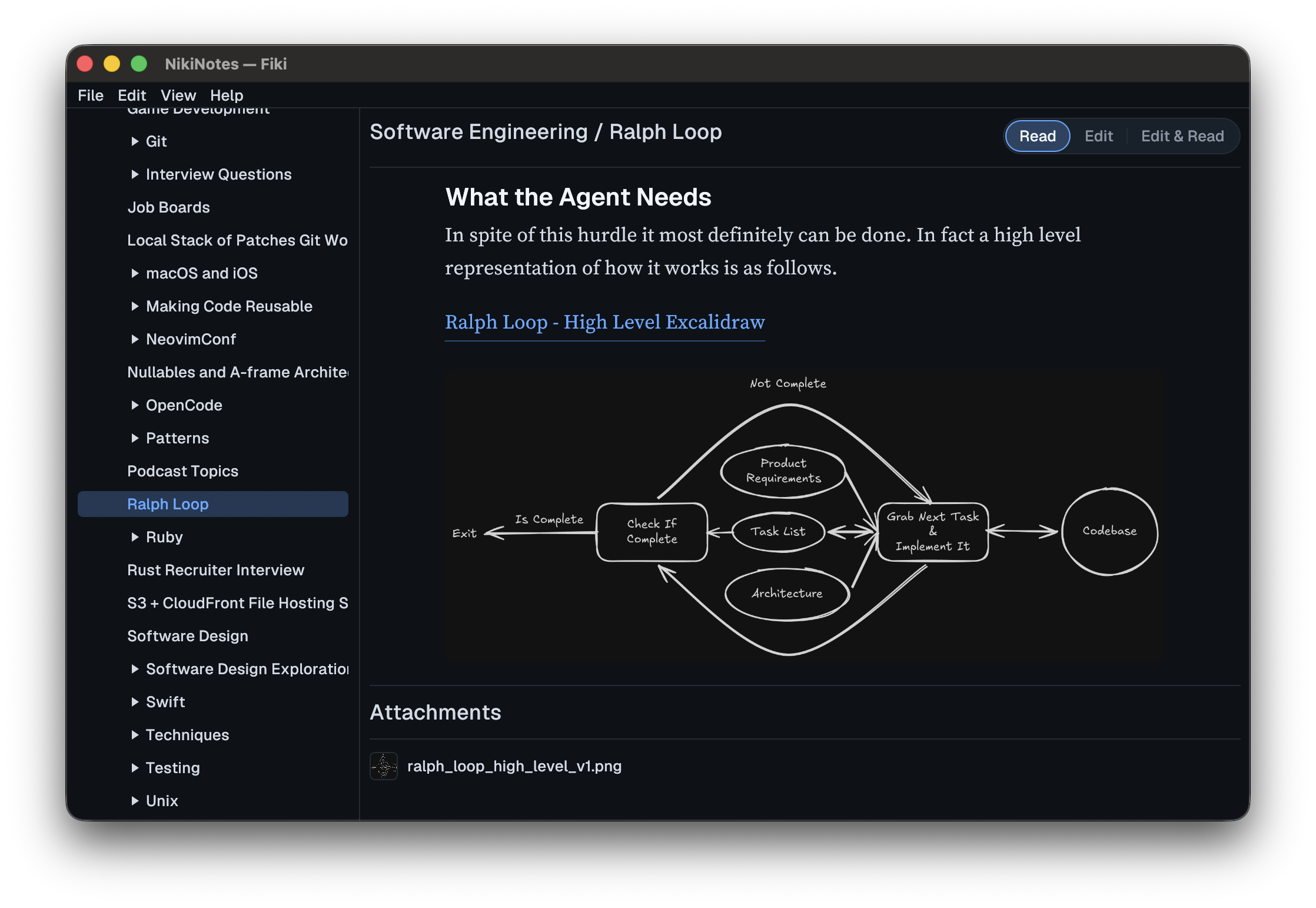
Headings, lists, code, images. Pictures beside the page resolve by their relative path, exactly as they do on GitHub.
-
Read, Edit, or both
A built-in editor with light highlighting, sensible undo, and a split view that renders the saved page beside your cursor and follows it as you type.
-
A map of the wiki
See every page and folder as a graph, laid out as a tidy tree or as rings around the root. Click a node to open it. Drag one onto a folder to move it.
-
Attachments, kept together
Images, PDFs, and anything else live in the page's folder and are listed next to it. Nothing is tucked away in a hidden store.
-
Safe edits
Fiki asks before unsaved work is lost, and if a file changes on disk while you edit it, the change is taken or flagged, never silently overwritten.
-
Same on every platform
One native app for macOS, Windows, and Linux, with the same menu bar and the same shortcuts on each. ⌘ on a Mac, Ctrl everywhere else.
-
Fast and small
Written in Rust. It opens in a blink, runs without a web view, and stays out of the way.
The map
See the shape of what you know.
Press ⌘G and the window becomes a map of the wiki. Folders open and close in step with the tree, closed ones show how much is inside, and the page you were reading is lit. It is the same wiki, from above.
Pan with a scroll. Pinch to zoom. Double-click to fit it all back on screen.
Plays well with
- git
- ripgrep
- Vim
- Obsidian
- VS Code
- Finder
- Explorer
- Time Machine
- Dropbox
- iCloud Drive
- Syncthing
- rsync
Anything that works on a folder of text files works on a Fiki wiki. That is the whole idea.
Pricing
Pay once. Own it. Source included.
Buy & Own
Launching soon
pay once · keep forever · source included
- One licence for macOS, Windows, and Linux
- The full source code, to read, fix, and change
- A year of updates included
- Keep the version you bought forever
- No subscription, no account, no phoning home
- The next major version is a new purchase
Not for sale yet
Fiki is being readied for its first release. Price and date will appear here.
Pay once and it is yours for good, source code included, so you can tinker with it, fix it, and change it like a classic car you keep in the garage. Updates are included for a year. The next major version is a new purchase. You just can't resell it.
Questions
- Where do my notes live?
- In a folder you choose, as plain Markdown files and their attachments. Fiki never copies them anywhere else.
- What is the file format?
- A wiki is a directory. A page is a folder inside it holding an
index.mdplus any attachments. The folder's name is the page's name. That is all of it. - Can I keep using my editor?
- Yes. Edit the files with anything. Fiki watches the folder and re-renders the page and tree as soon as something changes.
- How do I sync between machines, or share with someone?
- However you sync folders today: a git repo, Dropbox, iCloud Drive, Syncthing. Fiki does not run a service, so there is no account to make.
- Is it a subscription?
- No. You pay once, you get the app and its source, and a year of updates. After that, keep using what you have, or buy the next major version if you want it.
- What does "source included" mean?
- You receive the code the app is built from. Read it, fix it, change it, build it yourself. The only thing you cannot do is resell it.
- Which platforms?
- macOS on Apple silicon and Intel, Windows on x64 and ARM64, and Linux. One purchase covers all of them.
- When can I buy it?
- Soon. The app works today and is being readied for release. This page will change the moment it is on sale.
Your wiki should outlive the app you read it in.
With Fiki it does. It is a folder.